06. Exercise: Add Notifications to your App
L1 A06 Add Notification To Your App
Android Developer Documentation
Exercise
- Open
AlarmReceiver.ktand get an instance ofNotificationManagerand call thesendNotification()function with message text and context parameters.
// AlarmReceiver.kt
        // TODO: Step 1.9 add call to sendNotification
        val notificationManager = ContextCompat.getSystemService(
            context,
            NotificationManager::class.java
        ) as NotificationManager

        notificationManager.sendNotification(
            context.getText(R.string.eggs_ready).toString(),
            context
)- Remove the Toast message since your app will be sending a notification when the timer is up.
// AlarmReceiver.kt
        // TODO: Step 1.10 [Optional] remove toast
//      Toast.makeText(
//          context,
//          context.getText(R.string.eggs_ready),
//          Toast.LENGTH_SHORT
// ).show()- If you run the app now, you should see a notification every time you start the timer and every time the timer is up. This still doesn’t look right, you don’t want to send too many notifications to your users. You can remove the first notification which is sent when the user starts the timer.
- Open
EggTimerViewModeland remove the notification code for Step 1.5.
// EggTimeViewModel.kt

// TODO: Step 1.5 get an instance of NotificationManager
// and call sendNotification
// val notificationManager = ContextCompat.getSystemService(
//      app,
//      NotificationManager::class.java
// ) as NotificationManager
// notificationManager.sendNotification(app.getString(R.string.eggs_ready), app)
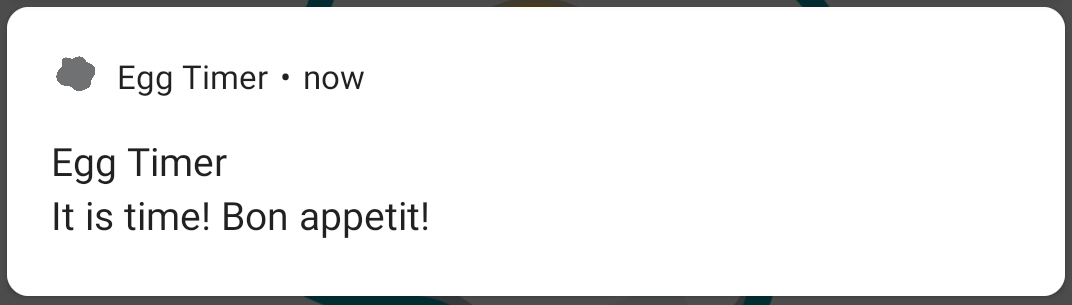
Now if you run your app again, set a timer, put it in the background and wait for the time to finish, you will see a notification. This is a much more useful notification.
Set a timer, put it in the background, and wait for the time to finish. You will see a notification. This is a much more useful notification.